
Please follow the steps below to get the CVT app for Android. Click the image to enlarge it.
1. Send us an email
Please send an email to: frontoffice@shout.dk and tell us on what device (Samsung Galaxy, HTC, etc.) you’d like to install the CVT app. We will send you a code that you can use in the Google Play Store. Make sure that you are connected to a wifi network when opening the app for the first time.
2. Open the Google Play Store app
On your device, go to the Apps section and tap the Play Store app.
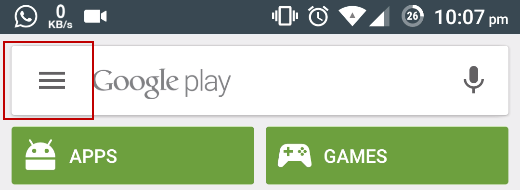
3. Open menu
Tap to open the Play Store menu.
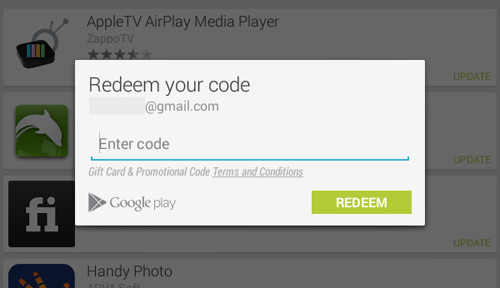
4. Redeem code
Find ‘Redeem’ in the menu and enter the code that we have sent to you. After you’ve entered the code tap ‘Redeem’
This code cannot be used to get the app for iOS on an iPhone or iPad. The code works only for Android.